
Before
Agents jump between tabs, phones, and social inboxes.
Bring WhatsApp, live chat, Instagram, Messenger, email, and voice into one AI-powered support workspace.
Queue
128
open conversations
SLA
97%
handled on time
AI
43%
ready to automate
 WhatsApp
 Instagram
 Messenger
Agents jump between tabs, phones, and social inboxes.
Every message lands in one priority queue.
Teams reply with context instead of searching for it.
Channels
Lamdesk gives agents one place to manage short chats, long email threads, social DMs, and voice follow-ups.
Capture visitors and continue the conversation later.
Handle order questions, COD updates, and follow-ups.
Reply to social buyers without losing customer history.
Bring long-form support into the same customer view.
Track call context and callback activity with chat history.
Add Telegram, Outlook, Gmail, Facebook, and more.
Workspace
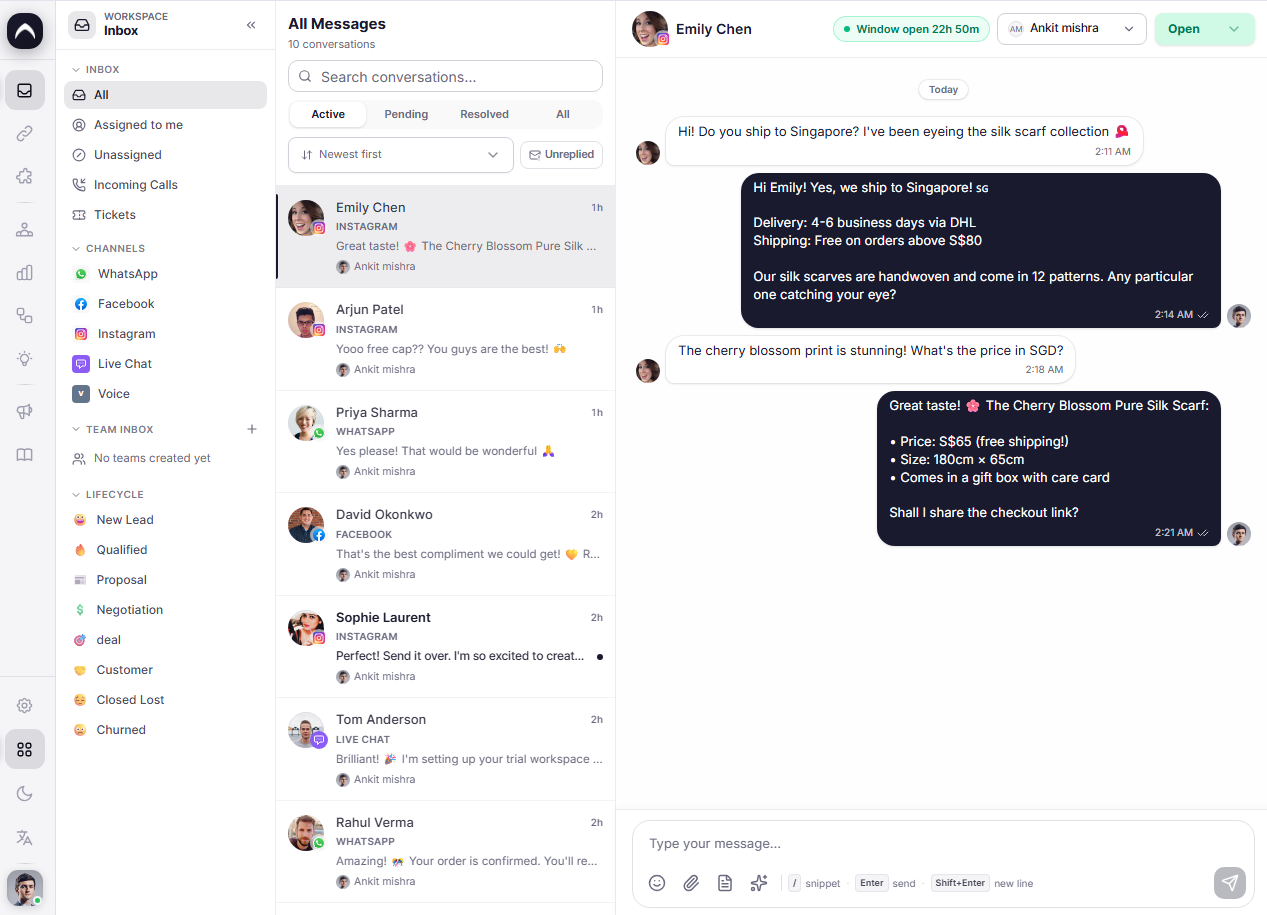
The inbox combines channel, customer, team, and AI context in one focused view.
Chat, social, email, and calls arrive in one clean workspace.
Orders, tags, history, and notes stay attached to the customer.
Summaries, suggested replies, routing, and next steps are ready.
Move conversations by topic, priority, channel, language, or owner.
See who owns each thread, what is waiting, and what is overdue.
Keep conversation history and internal notes in a shared timeline.
How it works
Lamdesk keeps channel, customer, and team context together so agents do not switch tabs.
Any connected channel
Customer, order, and intent
Summary, tag, and reply
Reply, assign, or automate
Priority queue
LiveOrder not delivered
Need size help
Invoice request
Callback booked
Asha Mehta
WhatsApp - order #LD-2408
Where is my package?
It is out for delivery today. I can share the tracking link.
Apologize, confirm delivery ETA, and offer tracking link.
Customer context
5
orders
$420
spent
Timeline
Prefers WhatsApp updates. Shipping issue already tagged.
Built for action
Customer history stays connected
Every reply builds the same customer record across channels.
Use cases
Support, sales, and operations teams use the same inbox but work from views built for their goals.
Resolve delivery, return, refund, and product questions from one order-aware inbox.
Turn high-intent chats and calls into qualified leads with fast follow-up.
Give managers a live view of queues, owners, priorities, and service levels.
AI + automation
Summaries, tags, language detection, owner routing, and suggested replies help teams move faster.
Detect language
Tag topic
Prioritize VIP
Route owner
Draft reply
Close loop
Search friendly
The page targets the terms buyers actually search when they need one shared inbox for customer support.
Omnichannel customer support inbox
WhatsApp shared team inbox
Live chat and email support software
AI customer service inbox
Social media support inbox
FAQ
An omnichannel inbox brings customer conversations from chat, WhatsApp, social media, email, and voice into one shared workspace.
Lamdesk can bring together live chat, WhatsApp, Instagram, Facebook Messenger, email, voice, and other customer channels depending on your setup.
Yes. Agents can see conversation history, tags, notes, channel source, ownership, and customer activity beside the active thread.
Yes. Lamdesk can prepare summaries, suggest replies, detect intent, apply tags, and route conversations to the right team.
Yes. Ecommerce teams can manage order questions, delivery updates, refunds, product questions, and cart recovery from one inbox.
Ready to see it live?
We will map your channels, show the workspace, and help you plan the first automation.